The E-Learning Storyboard Process: From Mood Board to Visual Learning Design
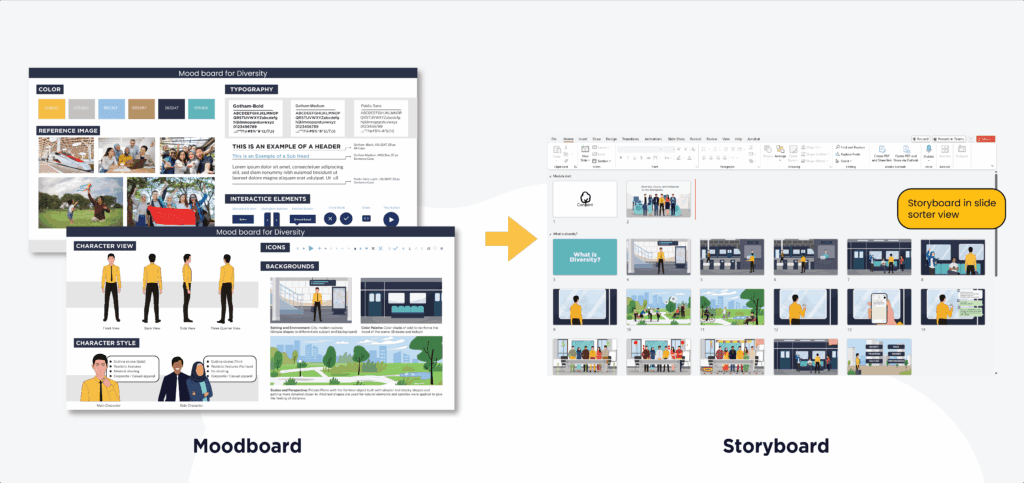
The design team does more than arrange screen layouts when creating an e-learning storyboard. Instead, they transform raw information into a structured and effective training experience. In the first stage, the team establishes the visual direction (art direction). Next, they develop a mood board before finally producing a detailed storyboard as a guide for the entire development cycle.
Through this strategy, the team maintains course consistency and aligns learning objectives with systematic instructional design models such as ADDIE. Moreover, this step effectively prevents confusion throughout the development stage.
Ultimately, in modern practice, the team treats the storyboard as a crucial foundation before implementing modules into the company’s LMS. In short, the storyboard guides the production team to work more purposefully and efficiently.
Why Visual Direction Matters in E-Learning
Many organizations often rush into the technical development stage. However, without a clear art direction, courses frequently end up confusing. Therefore, the team establishes visual direction from the outset to define the “soul” of the material.
Through this step, designers ensure that:
- Typography and Layout enhance readability.
- Color Palettes align with corporate branding.
- Visual Tone resonates with the specific target audience.
As a result, participants enjoy a professional and well-planned learning experience. Furthermore, a well-developed visual direction accelerates the work of developers and animators by providing a definitive reference.
The Role of a Mood Board in Course Design
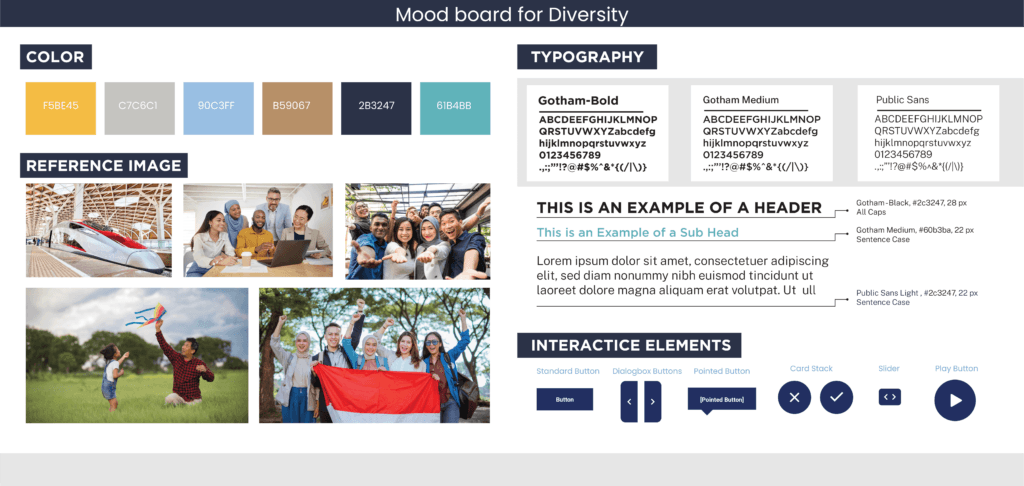
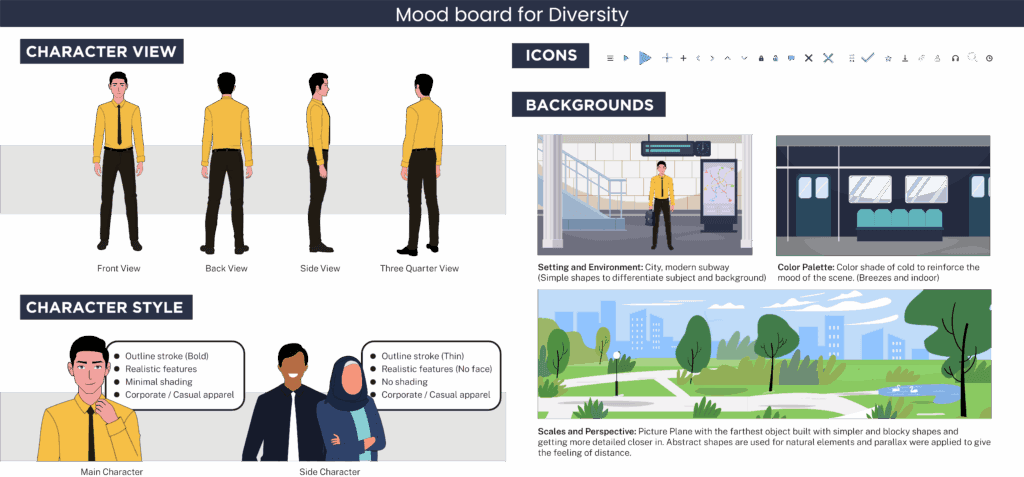
After agreeing on the visual direction, the design team develops a mood board as the aesthetic foundation. In particular, they curate various design elements to provide a realistic picture of the course’s final appearance.
In general, a comprehensive mood board includes:
- UI/UX inspiration: Interface layout and navigation styles.
- Illustration & Iconography: The specific style of characters and icons.
- Color & Typography: Defined sets of fonts and brand-aligned colors.
- Interface Tone: Deciding if the look is “corporate and sleek” or “playful and vibrant.”
Pro Tip: Present the mood board to stakeholders early. As a result, the team immediately receives feedback, avoids major revisions, and consequently reduces cost overruns in the final production stage.
From Visual Direction to a Structured Storyboard
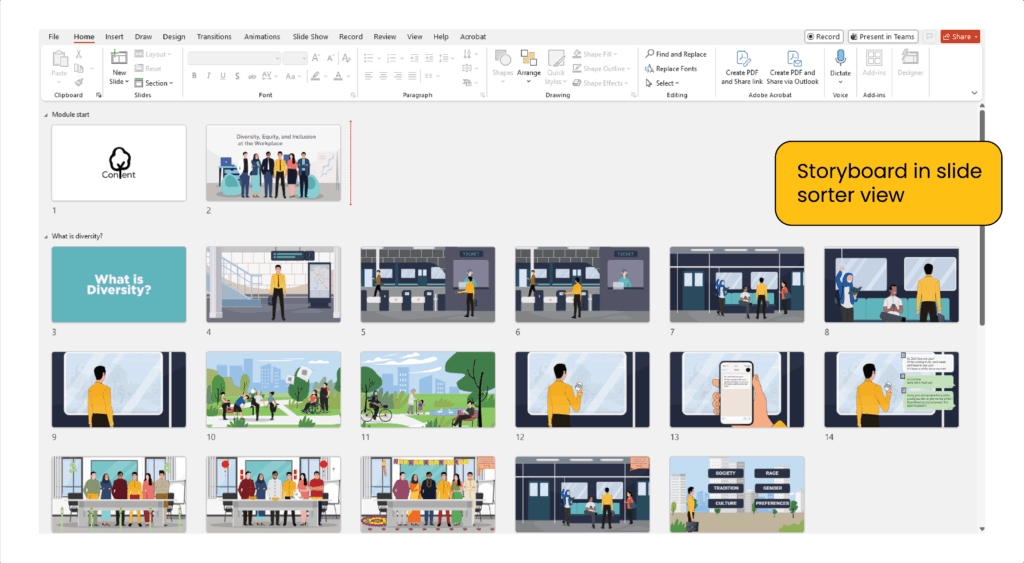
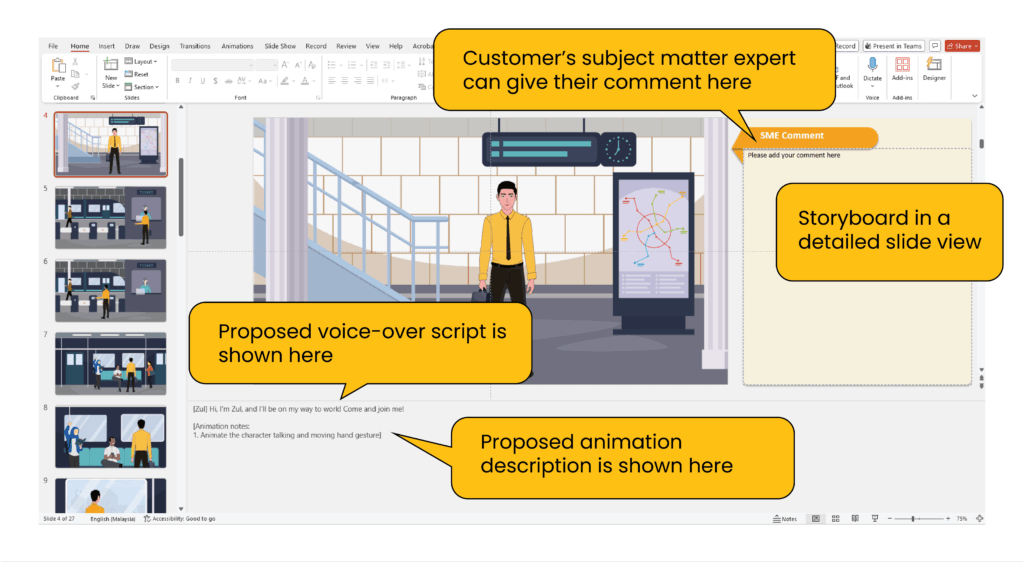
Once stakeholders approve the mood board, the instructional design team promptly translates that vision into a functional storyboard. Specifically, this document serves as the primary blueprint for designers, developers, and animators. Moreover, the storyboard helps every team member understand their responsibilities clearly.
In addition, the team ensures each module stays aligned with the training objectives. Consequently, this method supports measurable interactive e-learning development. Technically, a production-ready storyboard outlines:
- Learning flow: The logical sequence of information.
- Text and narration: On-screen text and voiceover scripts.
- Screen structure: Design/illustration on e-learning content.
- Interaction notes: Details on buttons, hover states, and quizzes.
- Navigation logic: How the learner moves through the course/LMS.
- Media instructions: Specific notes for animators or graphic designers.
How This Process Improves Learning Outcomes
For organizations, a structured storyboard process makes it easier for the development team to create systematic interactive modules. As a result, organizations significantly reduce both time and costs.
Furthermore, the integration of art direction, mood board, and storyboard delivers tangible benefits:
- Increased Engagement: Visually stimulating content holds attention longer.
- Faster Production: Developers work from a clear plan, reducing guesswork.
- Lower Costs: Fixing design issues at the storyboard stage is 10x cheaper than fixing them in the final build.
- Better Retention: Consistent visuals help learners focus on the content, not the interface.
Ultimately, the team designs every screen to deliver an effective message from start to finish. In doing so, participants enjoy a learning experience that is professional, comprehensive, and high in quality.
FAQ
What is the e-learning storyboard process?
Firstly, it is a structured workflow from art direction and mood boards to a detailed storyboard blueprint.
Why use a mood board before storyboarding?
Moreover, a mood board aligns visual style early and prevents costly design changes later in development.
Is art direction necessary for training courses?
Yes, indeed, art direction ensures visual consistency, clarity, and a professional learner experience.
Who creates the storyboard in e-learning projects?
Typically, instructional designers lead storyboard creation with SMEs and visual designers.
What tools are used for animation?
How does animation improve learning?
Ultimately, animation boosts retention by simplifying concepts and making learning more engaging and interactive.