
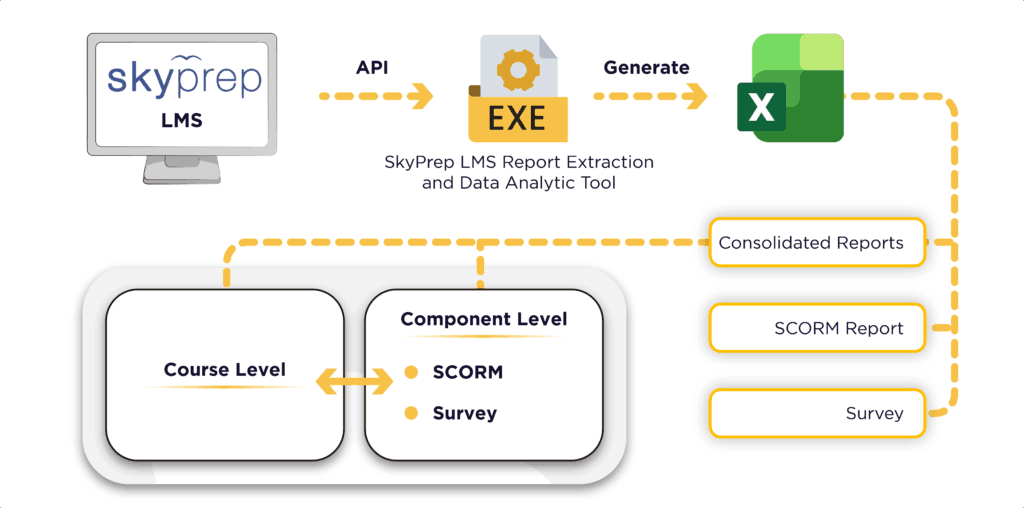
In Part 1, we examined high-level consolidated reporting. However, to enhance training, you must listen to the learners. Many LMS platforms impose rigid survey structures. Our tool leverages SkyPrep’s Checklist functionality to transform qualitative feedback into quantitative insights.
This section continues our series by detailing how the SkyPrep LMS Report Extraction Tool automates the analysis of learner feedback.
The Power of SkyPrep Checklists
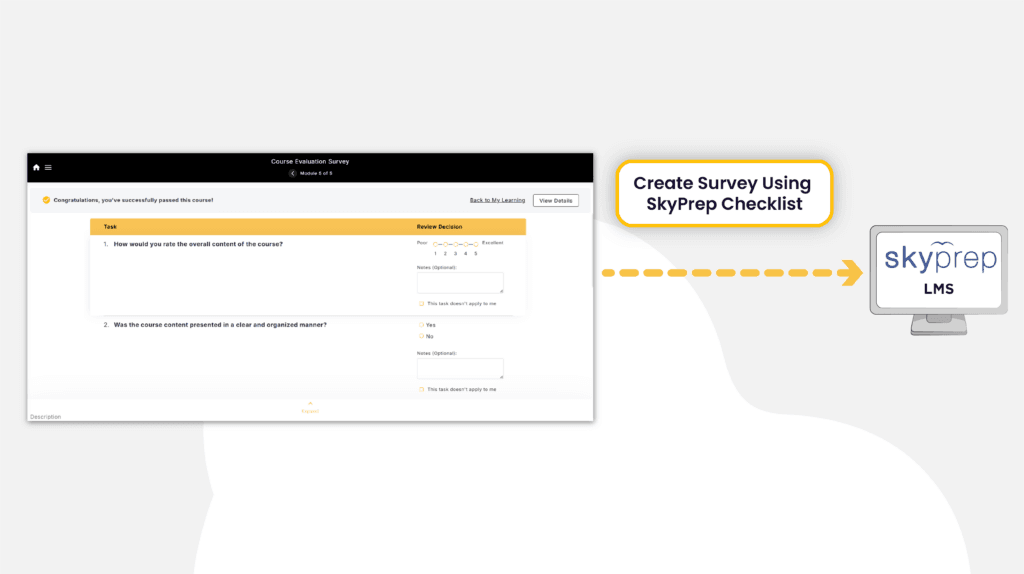
Flexibility forms the foundation of an effective survey. By utilizing the Checklist feature in SkyPrep, organizations can specify precisely what they wish to measure. For instance, you can implement a 5-point rating scale for content quality or a Yes/No option for engagement. This Checklist functionality enables you to design a customized survey.
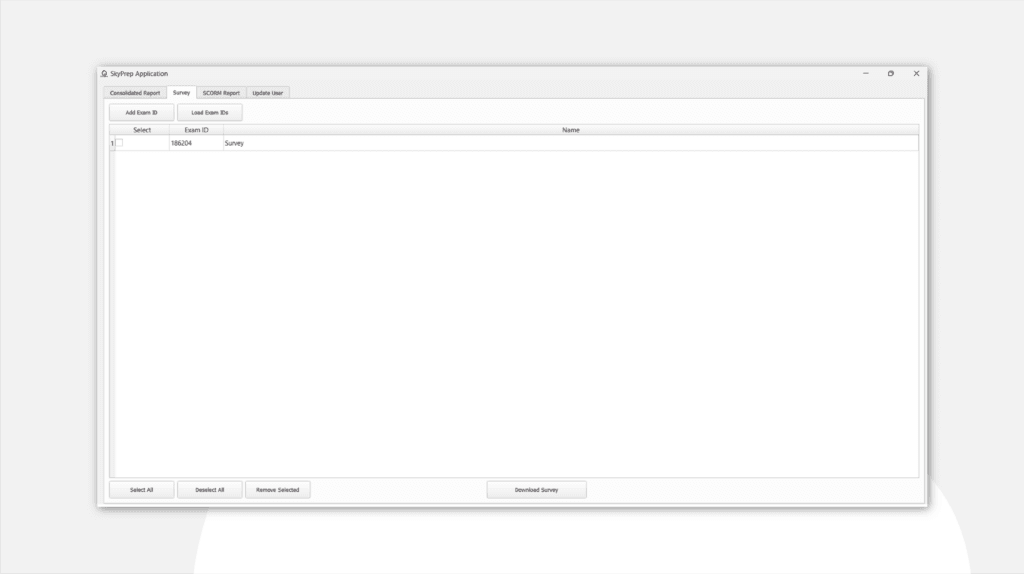
Furthermore, our tool compiles these SkyPrep checklists and organizes the results into a single, structured Excel file featuring three specialized worksheets:
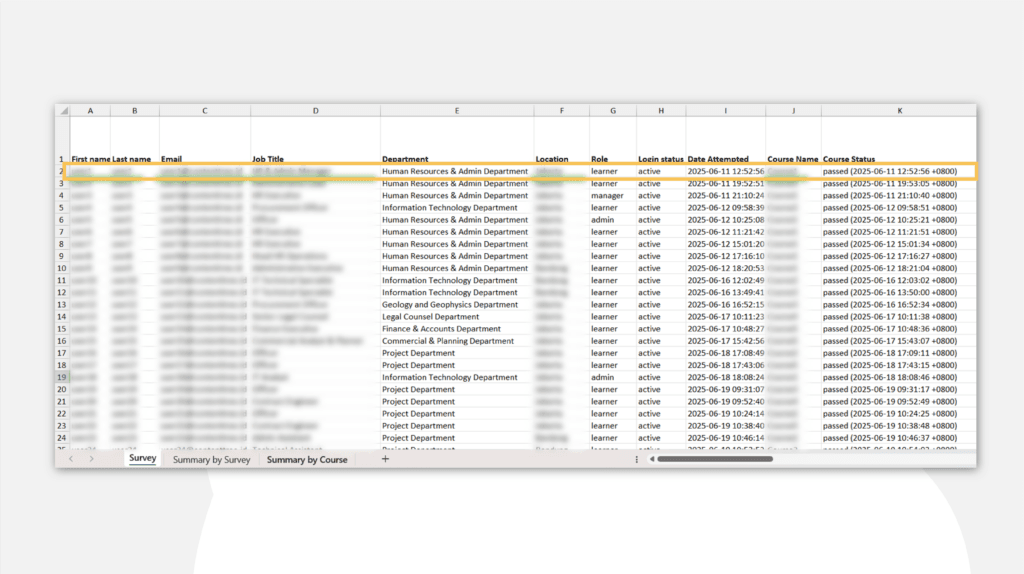
1. The "Survey" Worksheet: Granular Raw Data
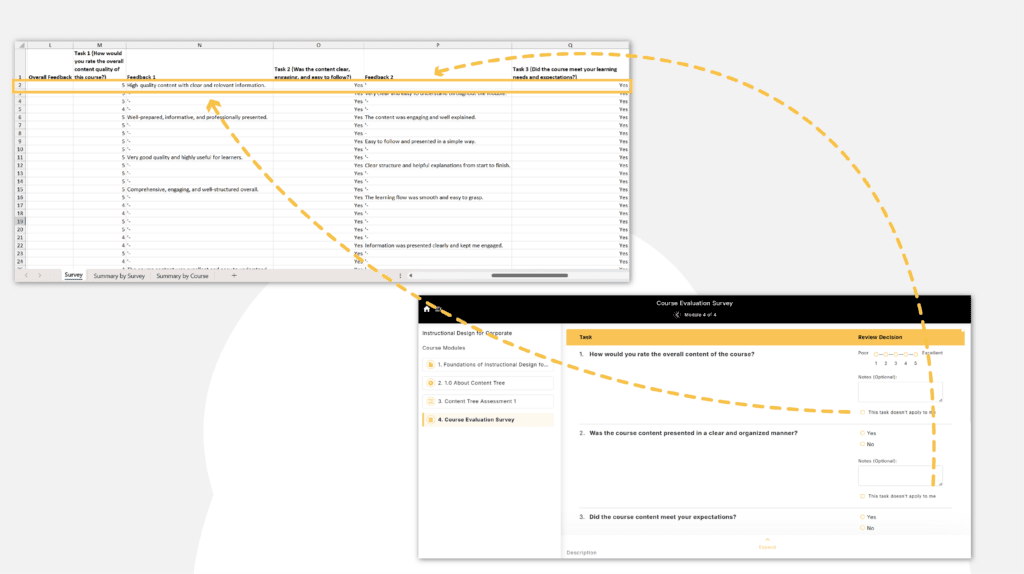
The Survey tab serves as the initial reporting layer. It captures every response submitted by learners, providing a comprehensive overview of their feedback.
- Quantitative Data: It tracks ratings (e.g., “How would you rate the content quality?”) and Yes/No responses for engagement and expectations.
- Qualitative Feedback: Crucially, it captures the “Why.” Every task allows for written notes, giving L&D teams direct access to learner suggestions and comments without having to click through individual profiles in the LMS.
2. The "Summary by Survey" Worksheet: Categorical Insights
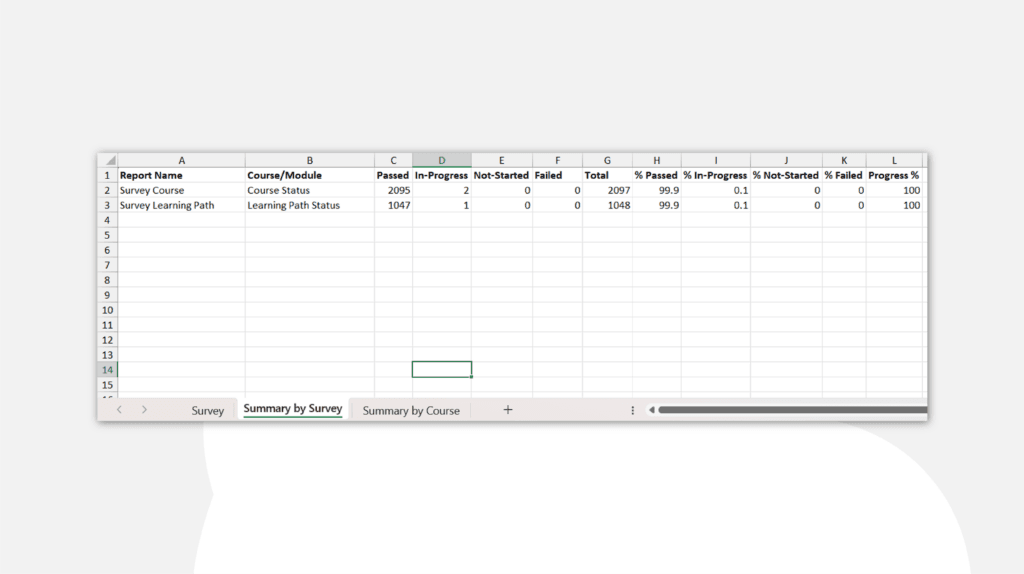
Organizations frequently implement various feedback loops—one for standard courses, another for complex Learning Paths, and possibly others for specific modules.
Moreover, the tool intelligently distinguishes between these Survey Types. It aggregates data, enabling you to quickly compare how ‘Survey Courses’ perform against ‘Survey Learning Paths.’
3. The "Summary by Course" Worksheet: The Management View
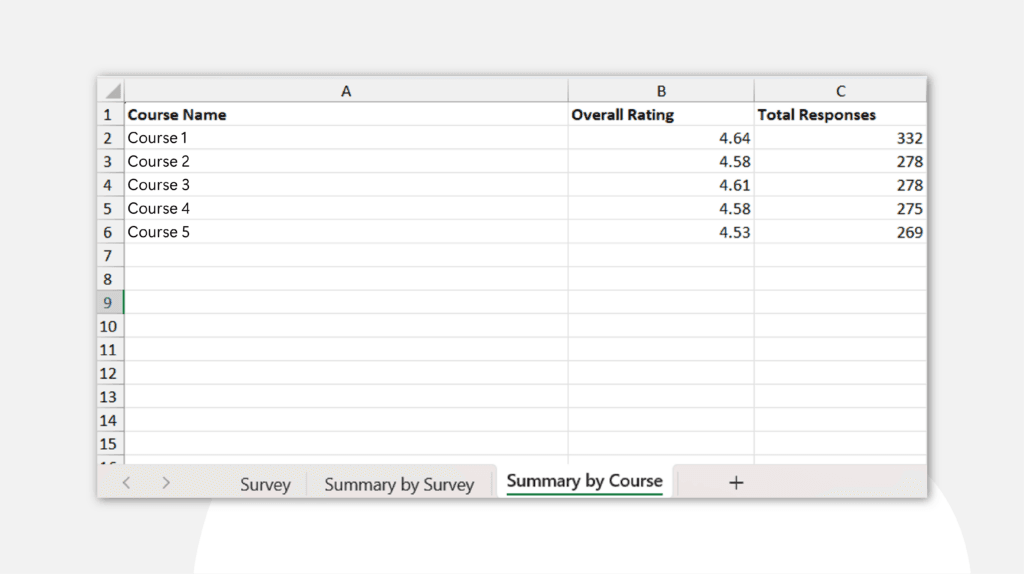
This section highlights where the ‘Data Analytics’ aspect of the tool excels. The system automatically calculates performance from a course perspective. It aggregates individual ratings to deliver an Overall Rating and counts Total Responses for each course.
Consequently, this view assists stakeholders in identifying high-performing content and flagging courses that require quality updates based on learner sentiment.
Why Automation is the Game-Changer
SkyPrep developed the tool to integrate seamlessly with its Checklist functionality. For organizations in Indonesia, this tool removes the burden of manual work.
Additionally, using the SkyPrep LMS Report Extraction Tool enables you to establish a repeatable system for quality control rather than merely collecting data. You can define tasks, extract results, and promptly present a summary of how your training programs are performing.
Looking Ahead
In addition, feedback indicates what learners think, while SCORM data shows what they actually did. Therefore, in Part 3, we will conclude this series by examining how the tool extracts deep interaction data from SCORM packages to provide a comprehensive view of training success.
FAQ
How do I build the surveys for this tool to extract?
The tool is designed to integrate with SkyPrep’s Checklist functionality. This feature allows you to create custom questions, rating scales, and text feedback areas for the tool to recognize and extract.
Can the tool handle different types of surveys?
Yes, through the ‘Summary by Survey’ feature, the tool differentiates between surveys linked to individual courses, modules, or Learning Paths, providing clear categories for your reports.
How is the "Overall Rating" calculated?
Additionally, the tool automatically averages the numeric values from your custom checklist (such as a 1–5 quality scale) and presents them in the ‘Summary by Course’ worksheet for quick analysis.
Does the tool capture written comments?
Yes, the tool extracts all written feedback and suggestions from learners in the checklist tasks into the ‘Survey’ worksheet, simplifying the review of comments.
Why use this tool instead of the standard SkyPrep export?
Standard exports provide raw data that still require hours of manual cleaning, pivoting, and formula work. However, this tool performs analytics and categorization automatically, delivering a presentation-ready report in seconds.