
Mastering LMS Consolidated Reports
Many organizations in Indonesia and the region still rely on manual Excel or CSV exports to prepare LMS reports. This slow process creates a bottleneck, making it difficult for L&D and HR teams to deliver timely insights.
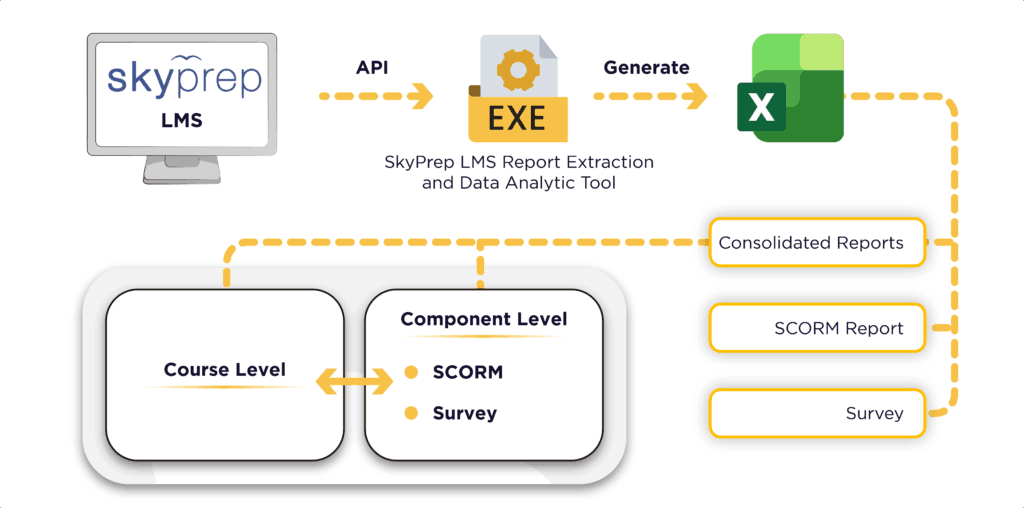
In addition, while some organizations are transitioning to complex BI tools, many teams still prefer the flexibility of Excel. Therefore, we developed the SkyPrep LMS Report Extraction and Data Analytics Tool. This tool automates data retrieval while maintaining a familiar output format for users.
This article begins a three-part series that explores the tool’s capabilities.
Part 1: Consolidated Reports & Data Visualization (Current)
Part 2: Survey Reports (Coming Soon)
Part 3: SCORM Reports (Coming Soon)
Why Reporting Automation Matters for Organizations
As training programs expand, asking ‘Who completed what?’ becomes insufficient. Stakeholders need a ‘Big Picture’ view across departments along with detailed course performance.
Furthermore, the SkyPrep API enables organizations to move beyond static exports. By using this tool, organizations in Indonesia can streamline workflows, ensure data integrity, and transform raw numbers into narratives that drive performance improvement.
How the Consolidated Reports Work
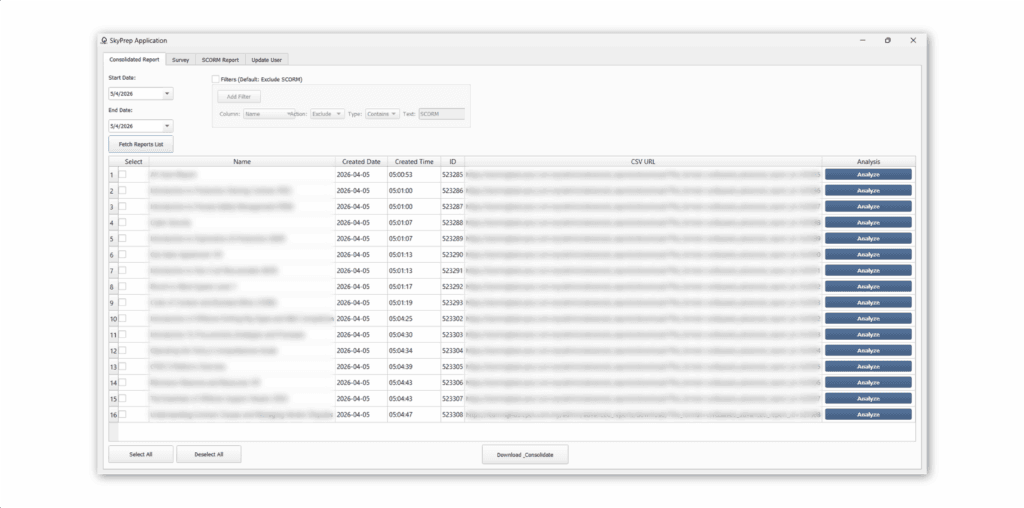
This tool provides several levels of reporting in one execution. As a result, users can generate a comprehensive overview in seconds rather than downloading multiple files one by one.
1. Course Level (via All Users Report)
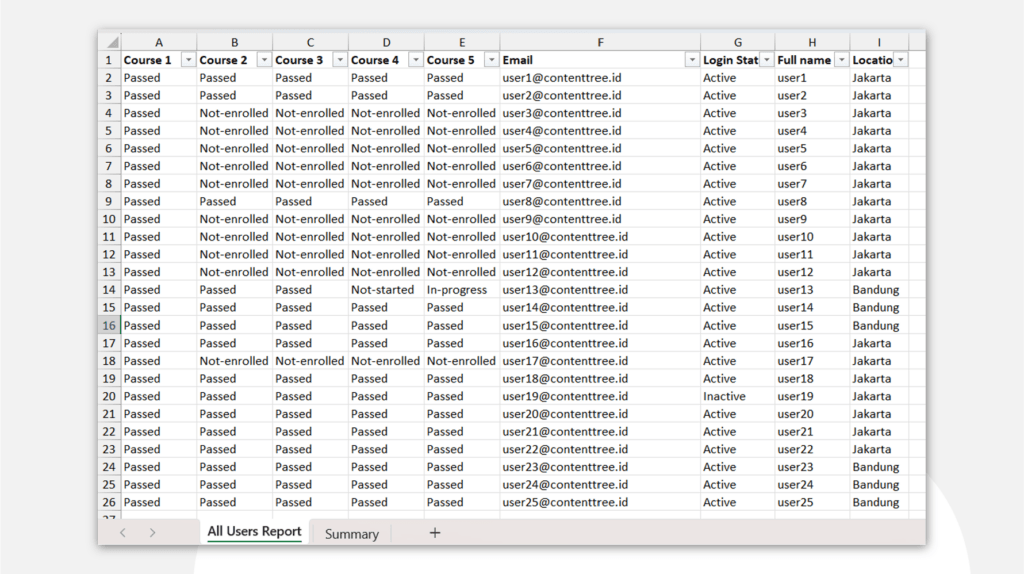
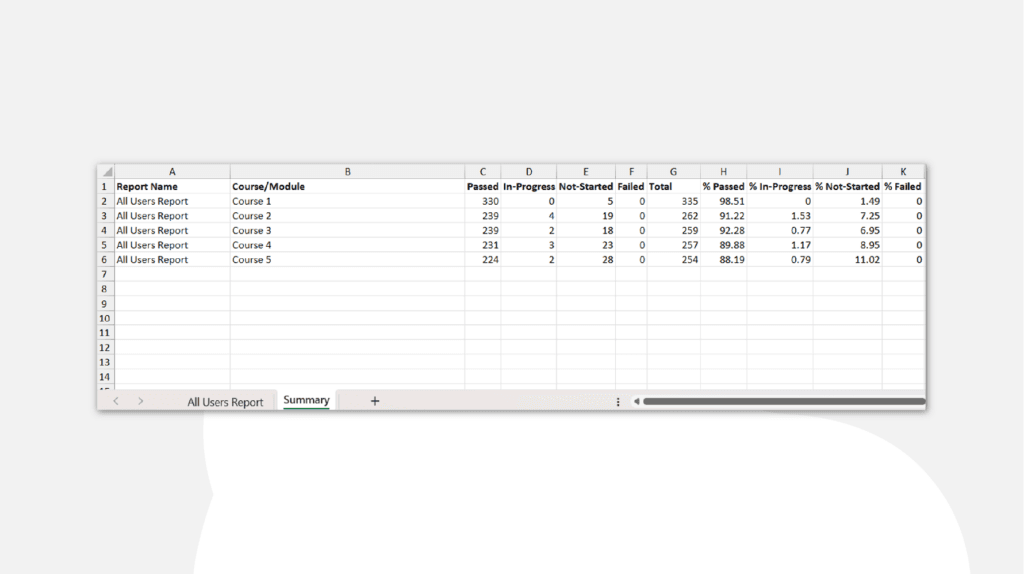
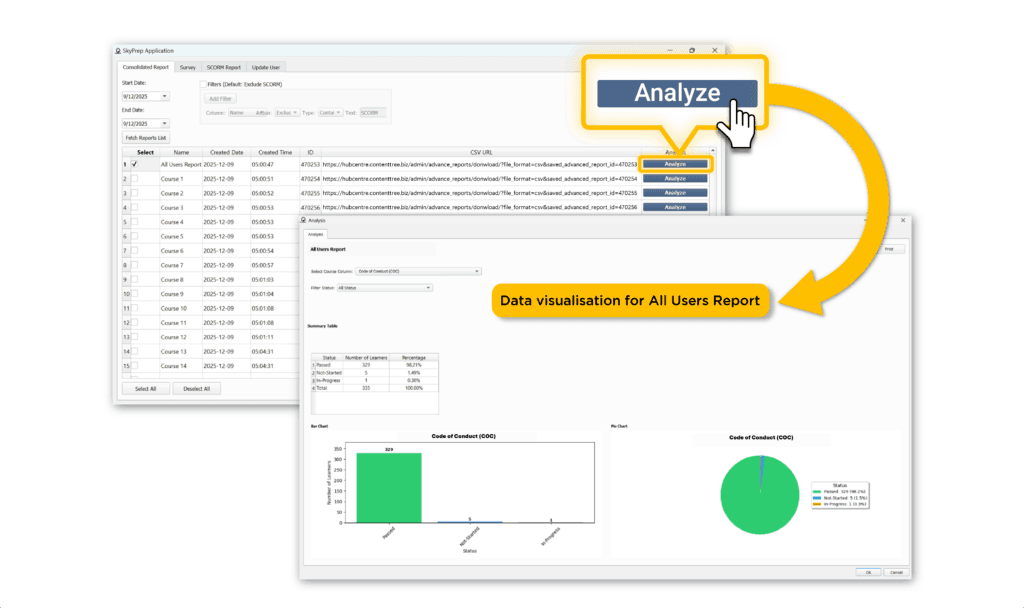
At the highest level, the tool uses the All Users Report to provide a bird’s-eye view of learner status. Consequently, management can quickly see:
- Percentage of learners who have Passed, Failed,
- Learners currently In Progress,
- Learners Not Started.
2. Component Level (via Individual Course Reports)
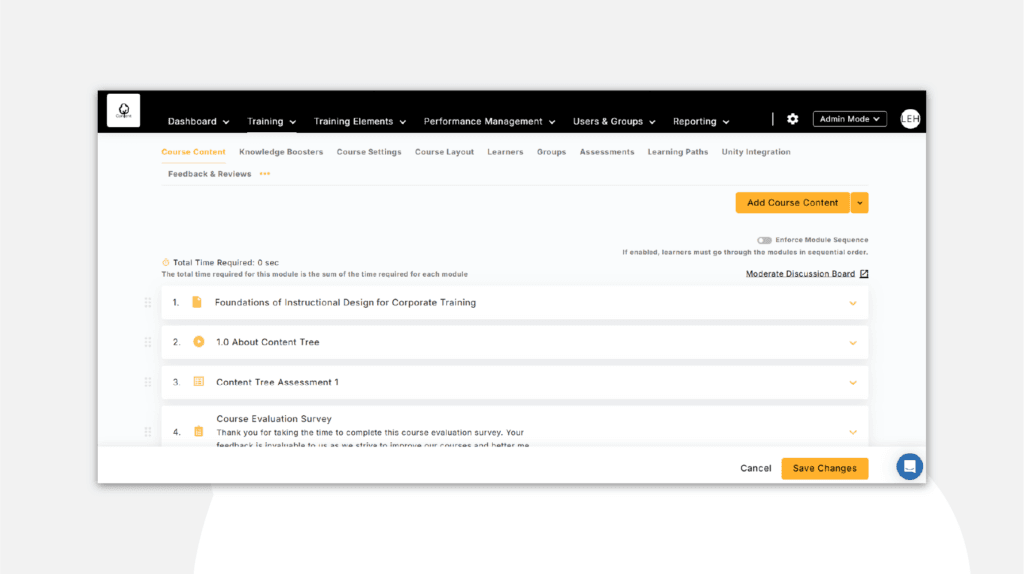
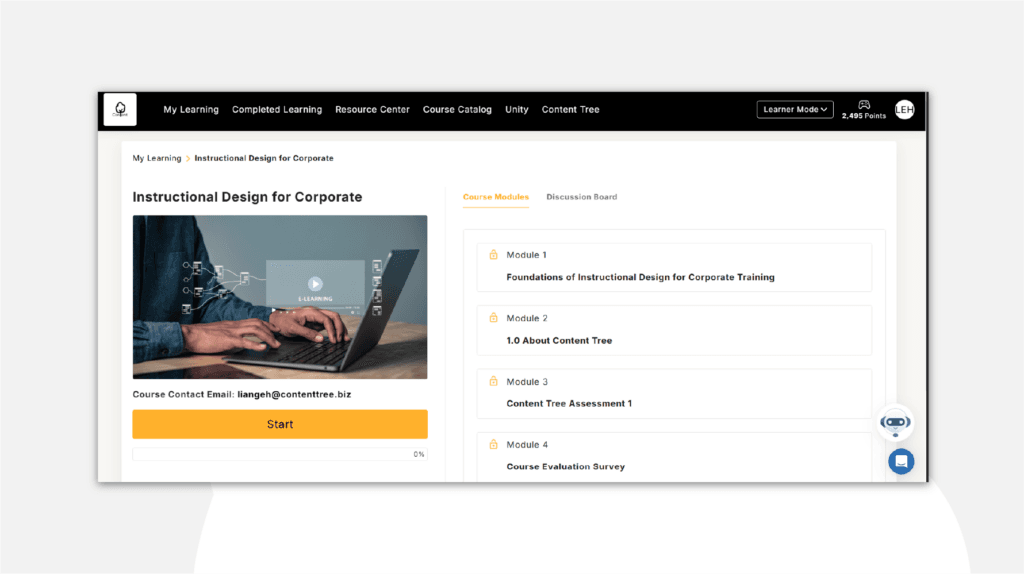
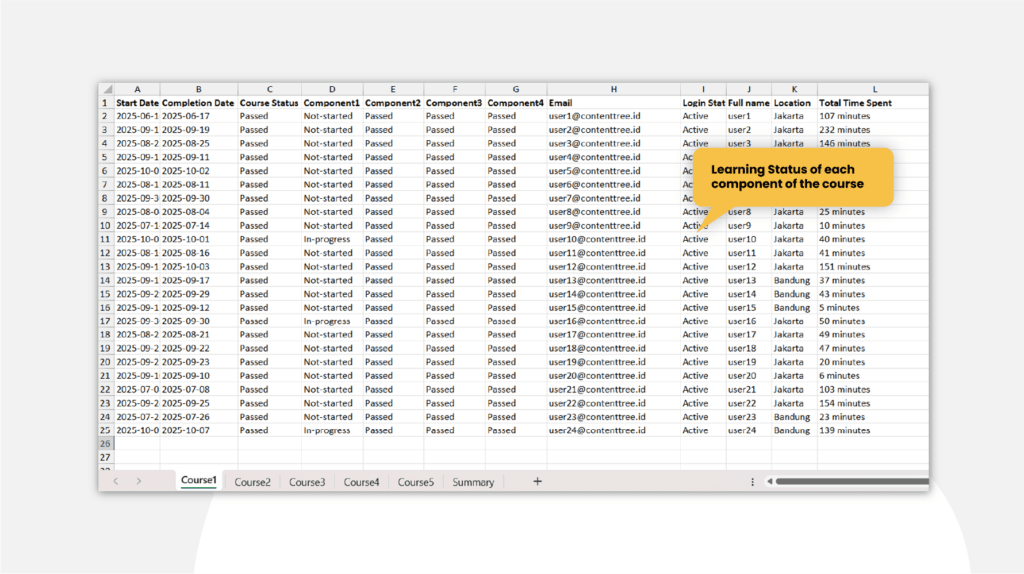
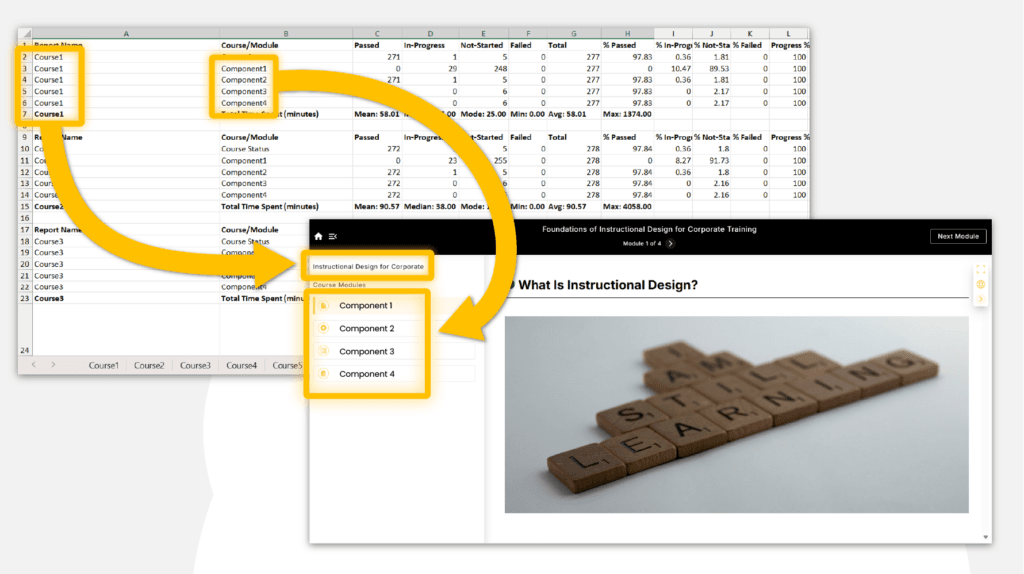
For a deeper dive, the tool extracts data from Individual Course Reports. In addition, our workflow diagram illustrates how L&D teams can view specific components’ performance within a course. Consolidating these into separate tabs in one Excel file enables side-by-side analysis of multiple courses without clutter.
Admin View: Components of the course
Learner View: Components of the course
Data Analytics for Component Level Information
3. Data Visualization Summary
The tool features a built-in Analyze function. With just one click, it transforms rows of data into visual charts and summaries. Therefore, this prepares the data for monthly updates or management reviews without requiring advanced Excel skills.
FAQ
What is the SkyPrep LMS Report Extraction and Data Analytics Tool?
This specialized solution utilizes the SkyPrep API to automate the extraction of multiple reports into one organized Excel file with built-in analytics.
What levels of reporting does the tool cover?
Moreover, the tool covers Course Level (broad status via All Users Report), Component Level (granular detail via Individual Course Reports), SCORM level, and Survey of the course.
Does the tool support visualization?
Yes, the tool features an ‘Analyze’ button that automatically generates charts and summaries from your consolidated data.
Is this suitable for companies in Indonesia?
In addition, this tool helps Indonesian organizations maintain high reporting standards across teams without the overhead of manual data entry.